
Compare smarter
with AI
Compare websites, notes, and options with structured AI analysis. Choose what matters, understand the differences, and make better decisions.
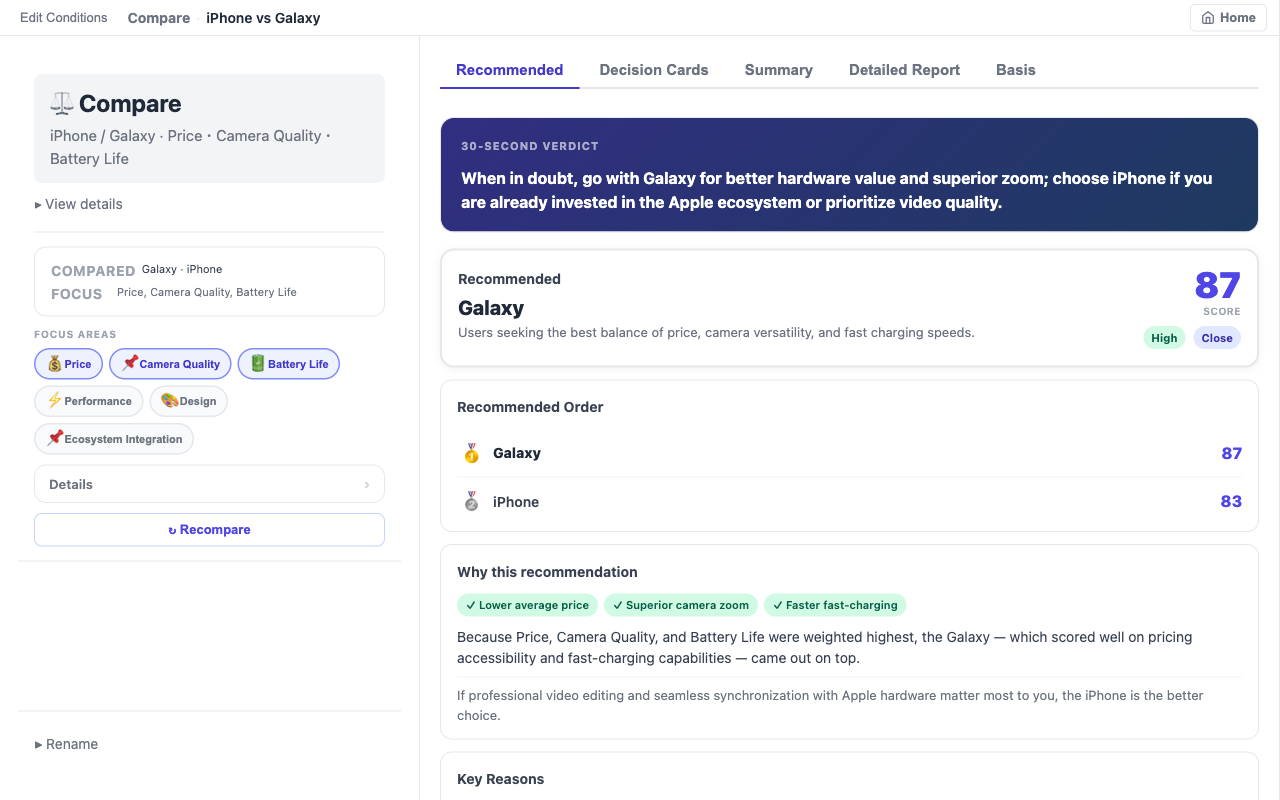
Supported Comparison Inputs
Compare almost anything
Words
Compare names, products, places, services, technologies, or everyday choices.
Web pages
Compare two web pages or product pages.
Web page and text
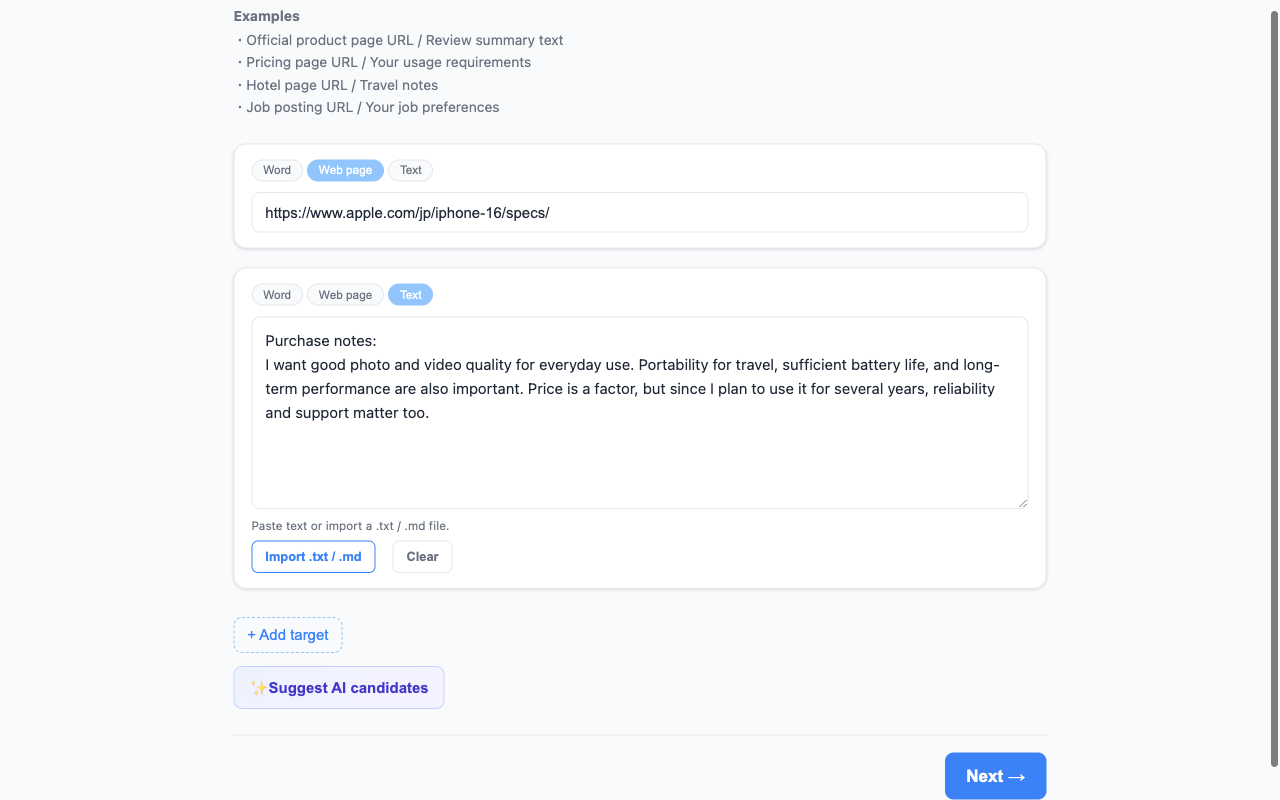
Compare a live page with notes, requirements, reviews, or pasted text.
Text
Compare pasted text, documents, notes, or imported .txt and .md files.
AI-Assisted Comparison
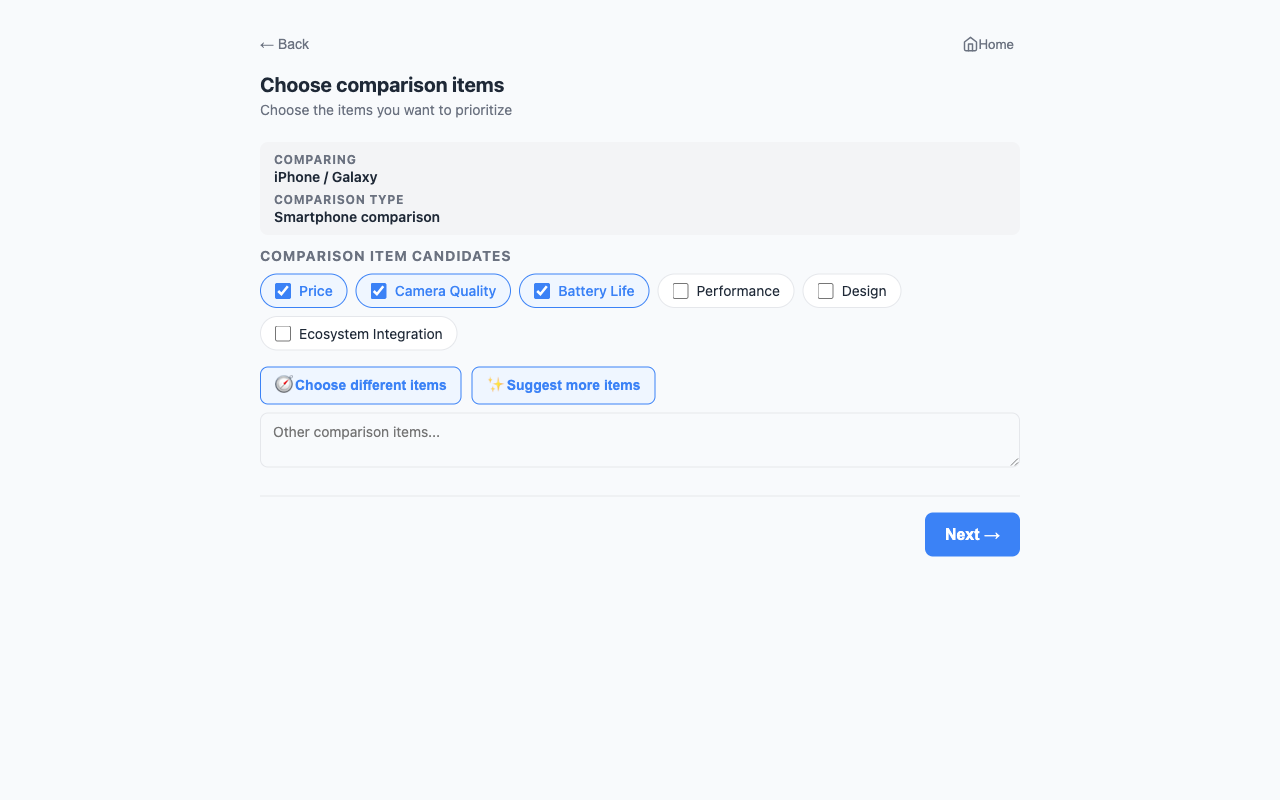
AI-suggested comparison criteria
DualyzeAI identifies the comparison type and suggests relevant criteria such as price, camera quality, battery life, flexibility, long-term stability, risk, and value. You remain in control: select, remove, or add the criteria that matter to you.
Results
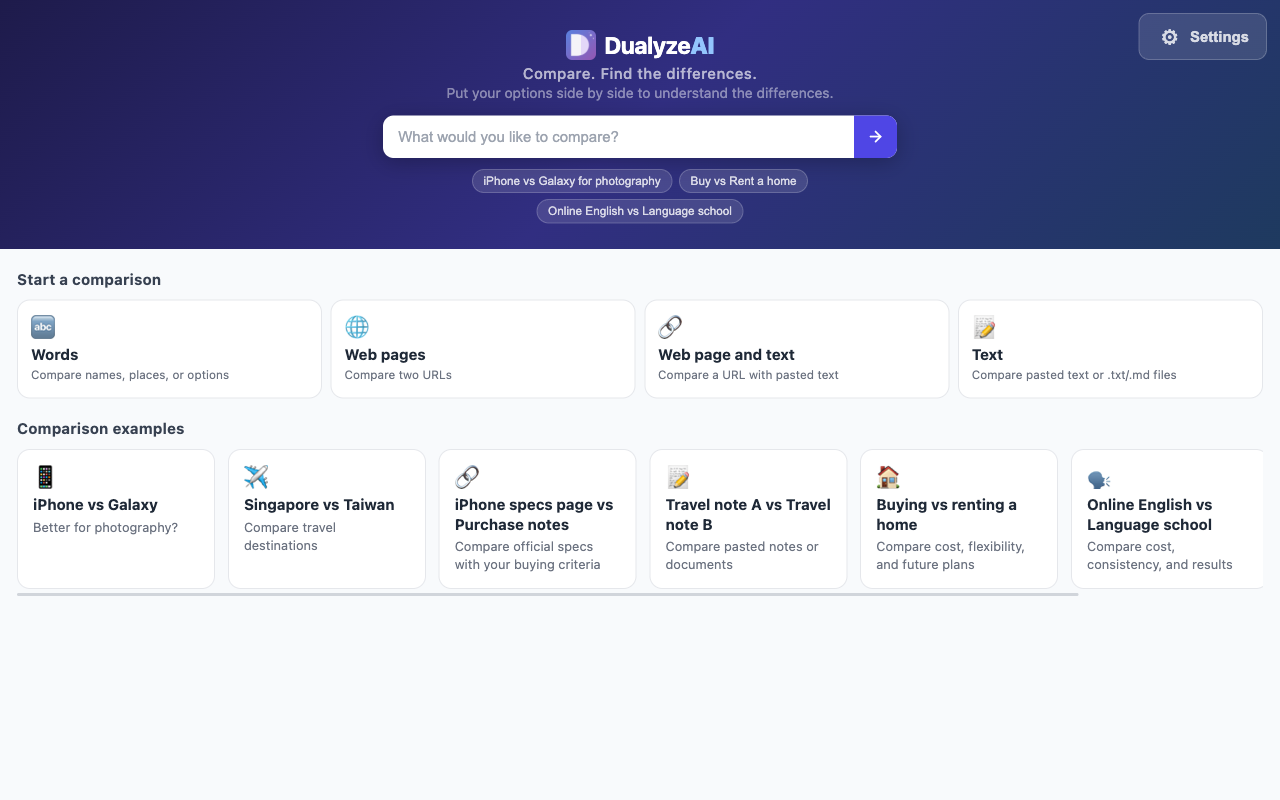
Structured, decision-ready results
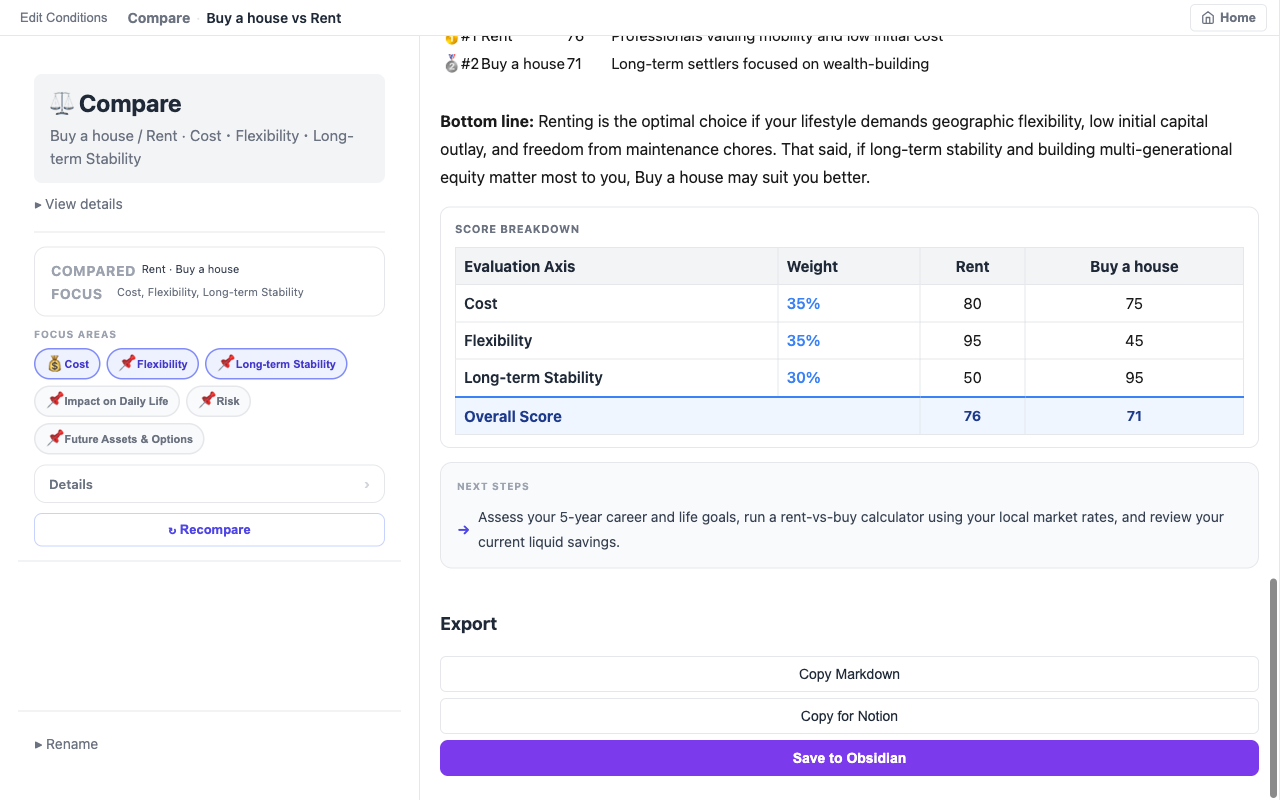
Get a clear verdict, recommended option, scores, recommended order, key reasons, detailed comparison, evidence, and next steps — organized into tabs you can scan in seconds or read in full.
Export & Knowledge Reuse
Export and reuse your results
Markdown
Copy a clean, structured Markdown version of your comparison.
Obsidian
Save directly to Obsidian with YAML frontmatter and source links included.
Notion
Prepare your comparison for Notion so you can paste it straight into a page.
Keep your comparisons as reusable knowledge instead of losing them in temporary browser tabs.
USE CASES
Real-World Use Cases
Product and service comparison
Compare products, services, plans, pricing, specifications, reviews, and purchase requirements.
Travel and location comparison
Compare destinations, accommodation options, transport choices, and travel notes.
Everyday decisions
Compare buying versus renting, commuting options, education choices, subscriptions, and other life decisions.
Technology evaluation
Compare frameworks, tools, documentation, platforms, and technical options.
Research and requirements
Compare a source page against your notes, criteria, requirements, or evaluation checklist.
Screenshots
See DualyzeAI in action
🔑 Your API key. Your browser. Your control.
DualyzeAI uses your own Gemini API key. Your key is stored in the extension's local browser storage and is not sent to a DualyzeAI server.
Comparison content is sent directly from the extension to the Gemini API when you run an analysis.
Most users stay within Google's free tier. Read our full Privacy Policy.
How it works
Get started in 4 steps
Add your Gemini API key
Enter your own Gemini API key once in Settings.
Add two or more items
Compare words, web pages, notes, requirements, or imported text files.
Choose what matters
Use AI-suggested criteria, then select or add the comparison points that matter to you.
Review and export
Get a structured result and copy it as Markdown, prepare it for Notion, or save it to Obsidian.
Ready to compare smarter?
Compare websites, notes, and options with structured AI analysis.